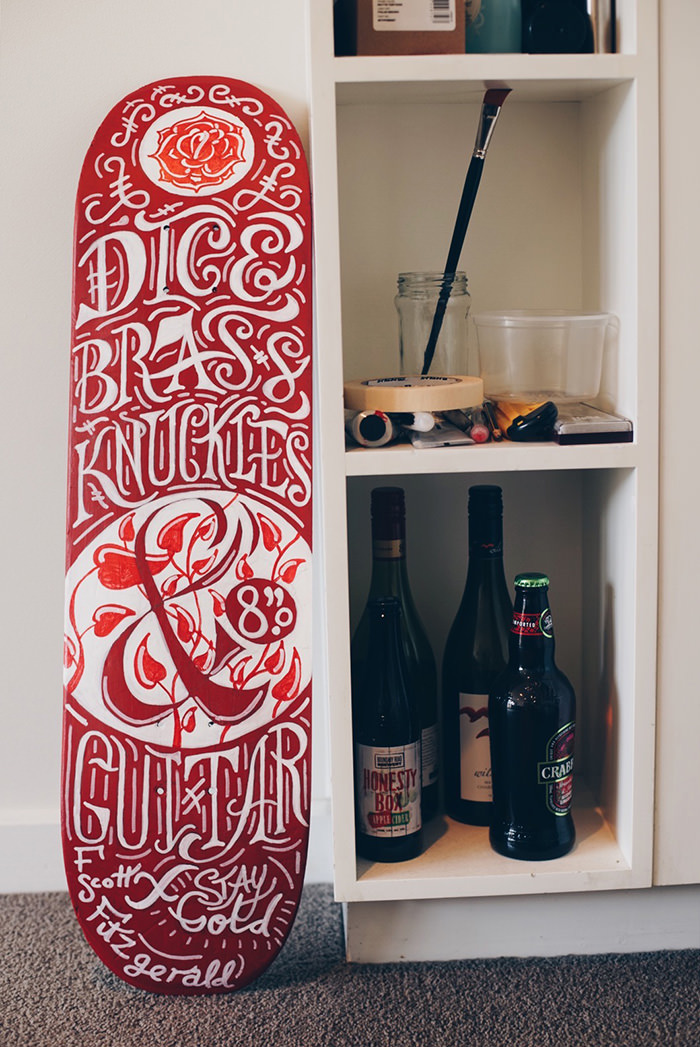
Second painted skate deck, kinda working as a series but also due to only having a couple colours of paint.
This Project contains
Everything I post up from the staples, design, photo and video to plenty of smaller projects and ideas that won’t make the main pages of the portfolio or other things I’m trying out.
Second painted skate deck, kinda working as a series but also due to only having a couple colours of paint.
This Project contains
So for a project I’m editing video for I have been given footage in a format I haven’t used before and didn’t shoot but with a bunch of googling I haven’t been able to find a workflow that works well for me but this is where I am at, so by no means is this perfect but it’s the current workflow I have which seems ridiculously long and slow with a bunch of processing time so I’m wondering if this is just a computer speed issue or Cinema DNG’s, the Odyssey or are just RAW videos a lot to work with due to these at least having 90Gb single shots.
Camera – Sony FS700
Recorder – Convergent Design Odyssey 7Q
Recording formats – Cinema DNG 2k or 4k
Computer – iMac 27” 3.4GHz 24 GB Ram
Editing program – Premiere Pro CC
Finder
Premiere Pro
Finder
Photoshop
Premiere
This Project contains
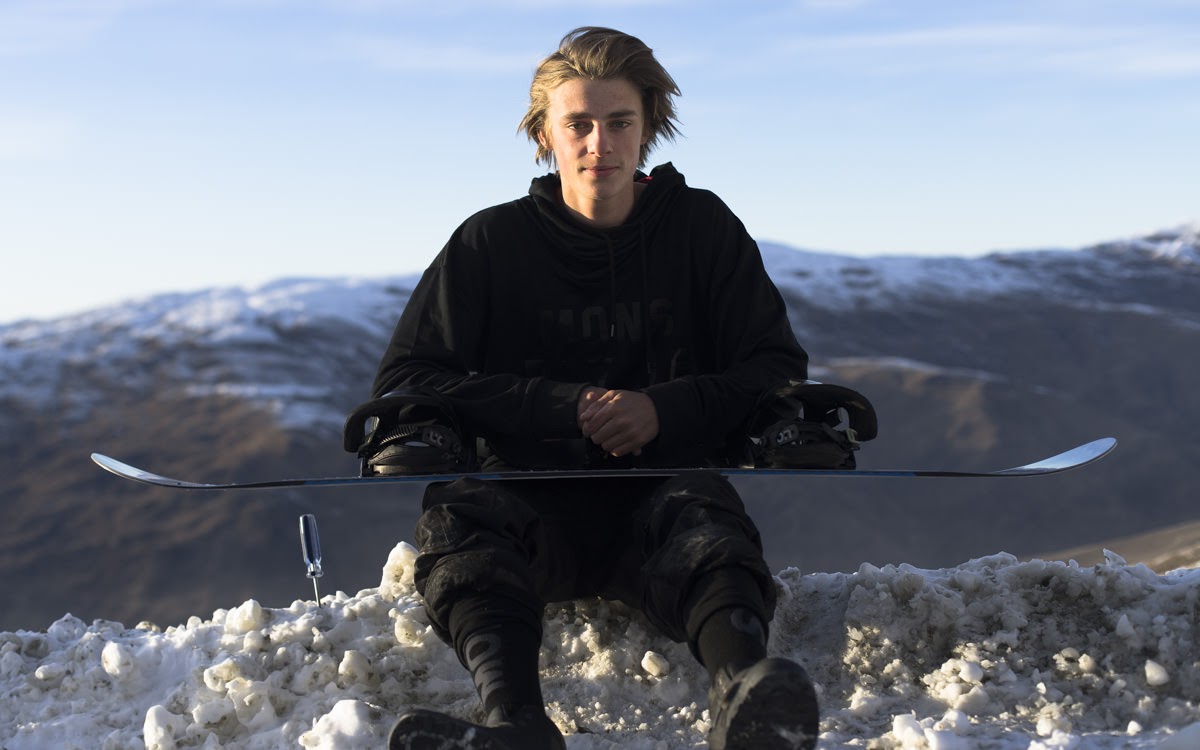
During a trip south last week I got to catch up with one of the younger snowboarders that’s made the transition from Hutt park rider to Wanaka local and is making the transition from small time kiwi to internationally known snowboarder and hopefully the next step of that journey is Winter Games. A bi-annual festival thats been running a while in the southern lakes, kinda a small version of the Winter Olympics which is about to start and run for the next ten days or so. I wanted to take a little different approach on the film and show off how Carlos is working as athlete and how that is effecting the way he rides and the part I’m liking about it is that he’s not a text book robot with a style stronger than his skinny frame.
Check the full article at http://thewireless.co.nz/articles/searching-for-that-mountain-high
This Project contains
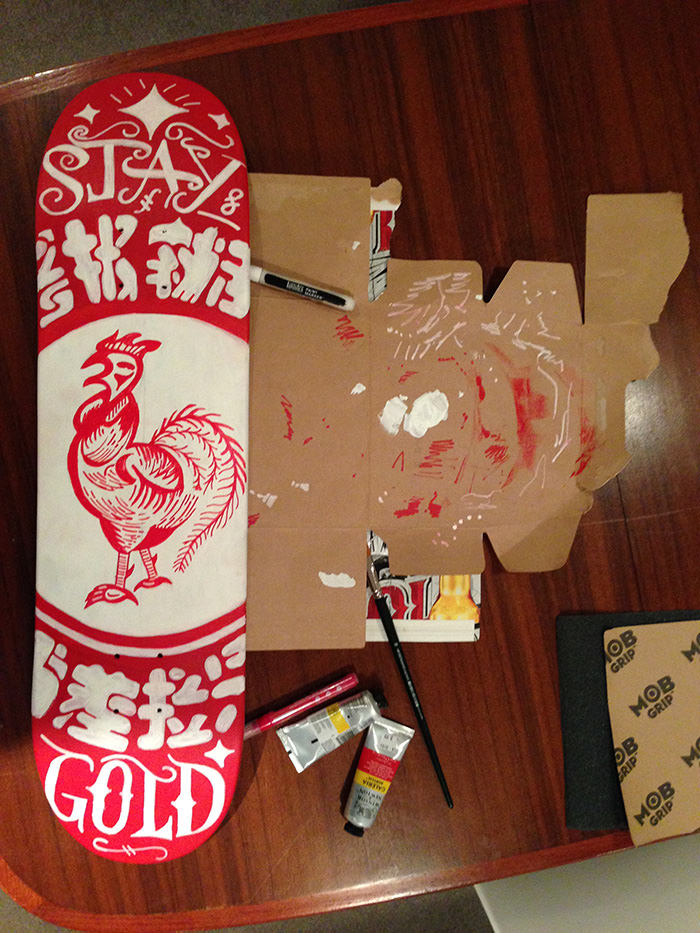
As one of those things I’ve always been meaning to do I got a un-cut blank for my next skate deck, I wasn’t exactly sure of how to make it into something and just made some of it up along the way, anyway the shape is kinda what I was skating with Santa Cruz and the graphic is freehand acrylic pen based on the srircha hot sauce bottle that for some reason I thought would work for a graphic on something or other.
This Project contains
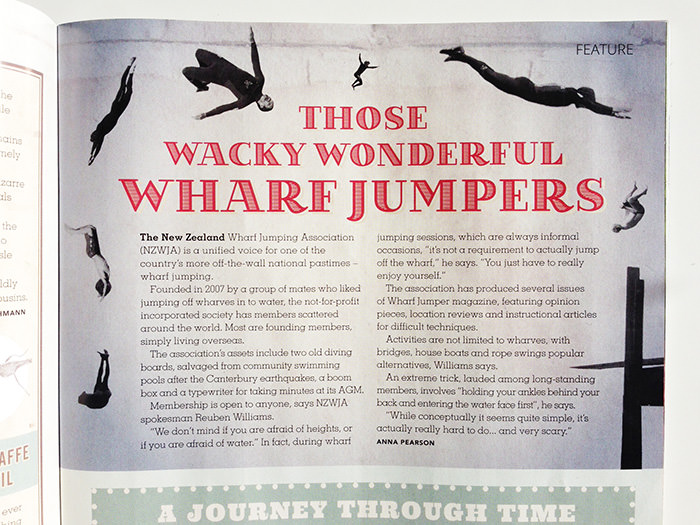
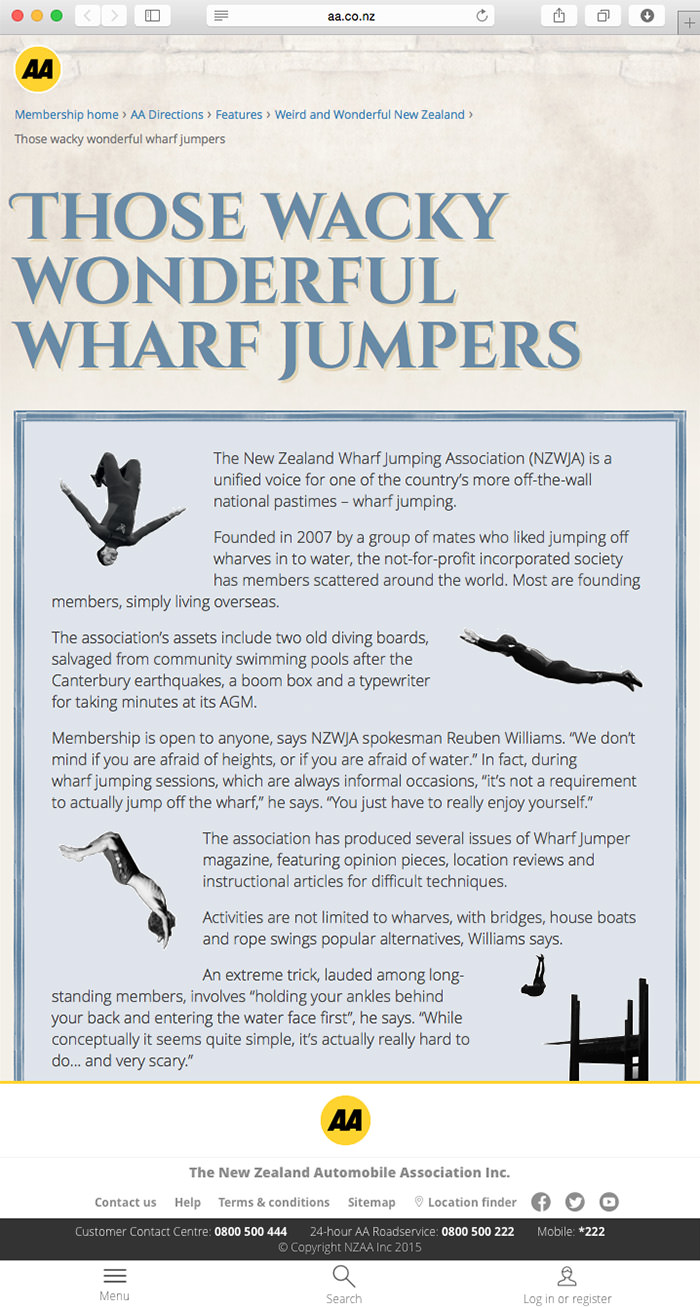
I’ve got a couple shots in the new AA magazine and also on the site aadirections.co.nz, someone got a little with the collage but always nice to be getting some print in another mag. Check the online article at aadirections.co.nz.
This Project contains
From the time I failed photography in high school, the only subject I’ve ever failed at school, I’ve shot and made a lot of my living from photos. I didn’t quite understand some of what to do with my photos when I was at school but I liked shooting them in action sports in my spare time, probably should have just done that for the class but hey. So ever since then I was always a huge fan of photographers that can shoot film so wanted to do the same and have had a lot of film cameras around, sometimes just because they look cool but film isn’t that easy to deal with. One of my buddies and camera geek Alex Bowater has been working on a new system that deals with the fact neither of us have a dark room. This is now my first roll I’ve worked on the whole way from shot to distributed myself, giving me the ability to work the shots the way I want.
First step, tiny dev tank with cafenol, crappy instant coffee and a couple other under the sink chemicals.
Step 2 an old slide duplicate with a little mod and were getting the shots to digital.
Step 3 an absolute handful of apps and I can have them sorted online.
Yeah it’s ridiculous I could just shoot right in the instagram app but it’s nowhere near as fun so I’m going to keep doing this a lot more, well hopefully, I said I’d be doing this in high school, it’s only taken ten years to get a setup. It can only get better from here and I need a high quality version for medium format too.
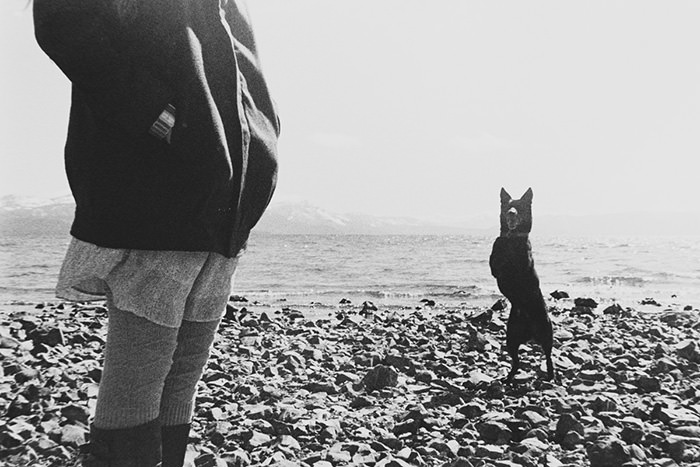
Until then here’s a photo of Kenzie and her dog Blue at Tahoe.
This Project contains
I haven’t been spending a huge amount of time in the clubbies the past few years but that didn’t stop me from making it into the Licence to Chill Manual #10 with a couple shots from the trusty iPhone. I pretty much never shoot with my phone but Kenzie wrote a piece on disk golf and I had a couple images of her playing so what they say about the best camera being the one you have with you is true and I’m pretty happy with the quality of this shot.

This Project contains
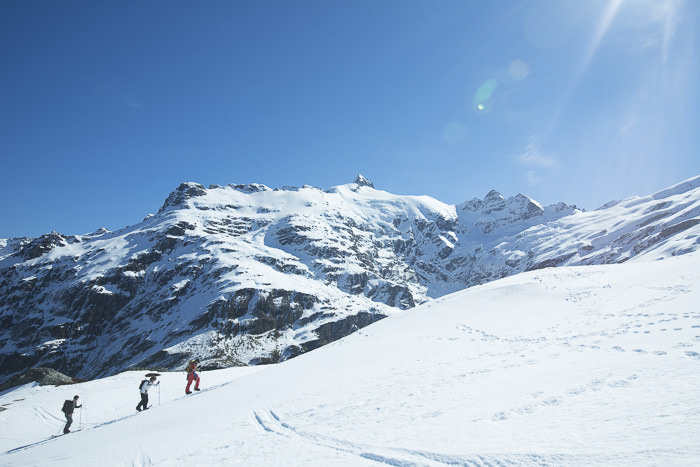
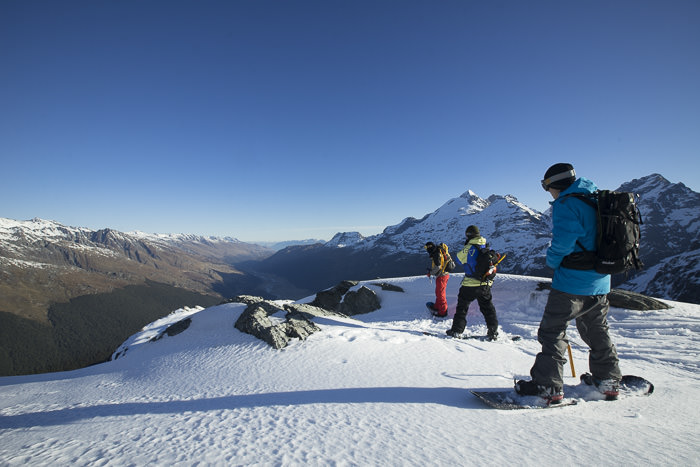
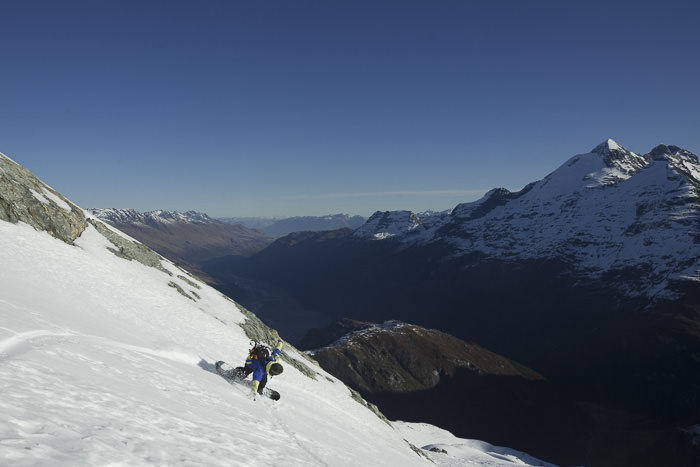
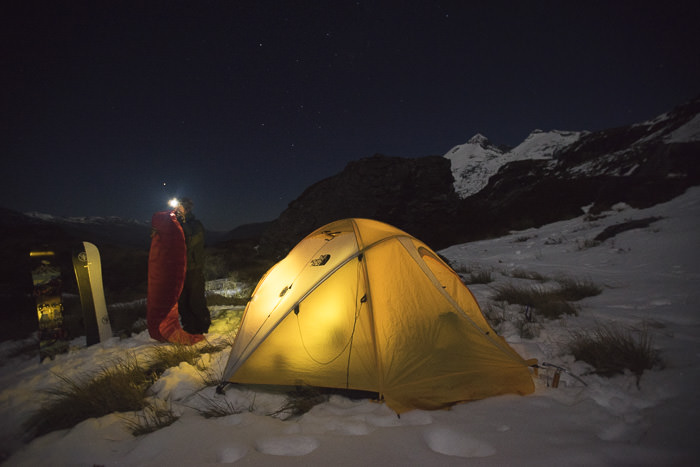
Inside the 2015 Winter issue of Adventure magazine there’s an article I put together with a few friends last year. Just a quick clip out of Queenstown we headed north to an amazing area of New Zealand and spent the trip touring and camping in the snow. Get hold of the mag and read the full article.
This Project contains
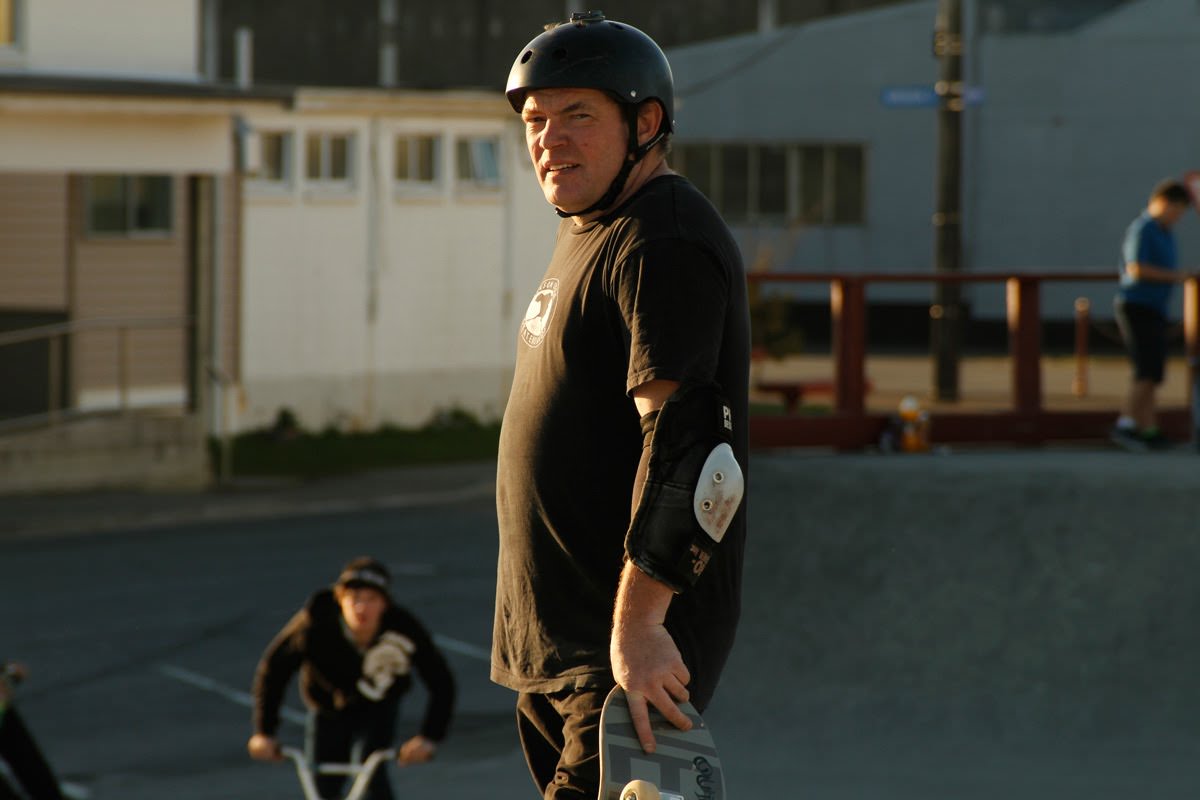
One of the nice perks of this job is that I got to work with one of those people that I’ve been interested in for a while. I’ve skated his boards on and off for a while, as has probably everyone thats skated in NZ.
I’ve heard a fair amount about Dave, he lives half an hour away from where I did a bunch of years back on the west coast, where both of us were kinda in the middle of nowhere, which is maybe why I hadn’t met him, he enjoys his privacy, making it really cool that he let us follow him around with a camera and Anna Pearson with her notepad. Check the full piece on The Wireless or the video piece.
This Project contains
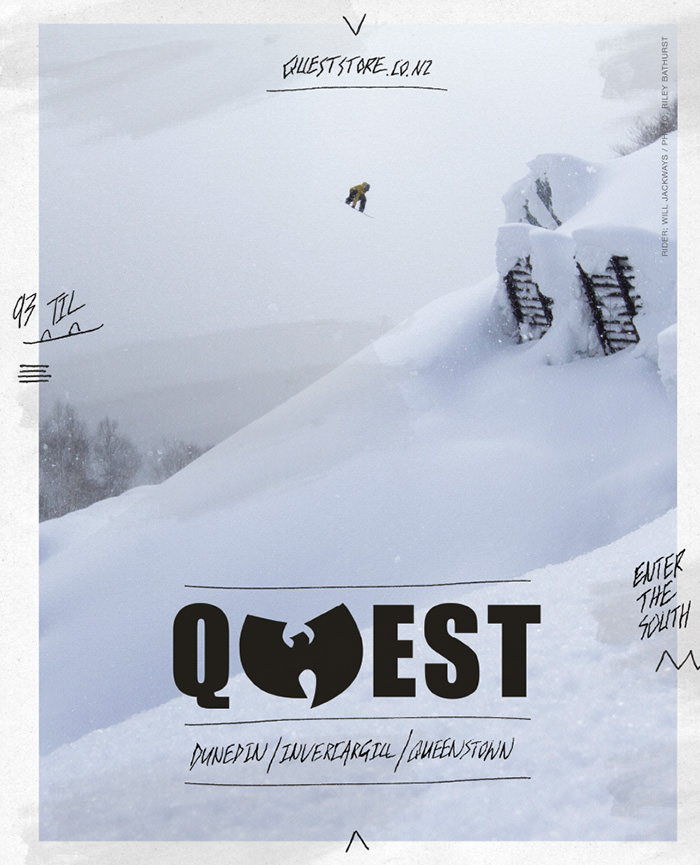
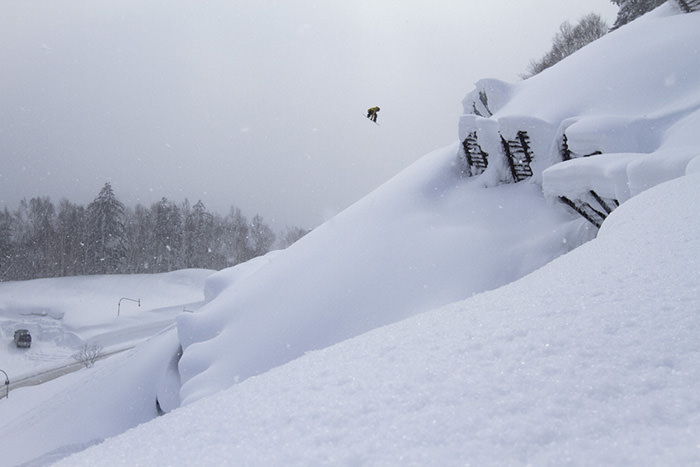
As a little something where there is a lot more to come the new issue of Manual magazine has my image of Will Jackways riding in Japan for the Quest ad with the uncorked version below.
This Project contains